Many students want to improve faster but are not sure where to begin. One of the most powerful ways you can use is recording. When you learn how to record your practice sessions, you give yourself an easy way to listen, watch, and fix mistakes you may not notice while playing. This skill is useful not only for music but also for areas like public speaking, where clear feedback helps you grow.
The best part? You do not need expensive gear. Your phone, a quiet place, and a little setup can help you create clear audio and video recordings that look clean and clear. With simple steps, you can study your progress and grow as a musician.
In this guide, you will learn how to capture good sound, how to record yourself practicing music, what to look for in playback, and how to use recordings to track your improvement over time. You will also learn how tools like metronome apps and a simple practice journal can help you stay organized.
Why Self-Recording Helps You Improve
Recording your practice sessions is like having a coach by your side during training sessions. When you play, you focus on many things: notes, timing, breathing, and technique. It is easy to miss minor problems. But a recording shows everything.
With a recording, you can hear if your tone is unstable. You can see technique errors, posture issues, or mistakes in your upper body movement. You can notice if you rush or slow down. You get honest feedback, and this helps you improve faster. This is also a key part of deliberate practice, where you work on small, specific skills on purpose.
Another benefit is motivation. When you look back at older video recording clips, you can see real progress. Even small changes feel rewarding. This keeps you going on days you feel stuck. Each playback becomes a teachable moment that guides your next goal.
What You Need to Get Started
You do not need fancy equipment. Here are the basics:
- A smartphone
- A stable surface or tripod
- A quiet practice room
- Good lighting
- A simple audio recording app or camera app
- Optional: metronome apps for steady timing
Most phones have strong cameras and microphones. You can achieve good results without buying extra gear.
If you want clearer audio later, you can add small tools like lapel mics or mini tripods. But these are optional.
Best Way to Record Music on Phone
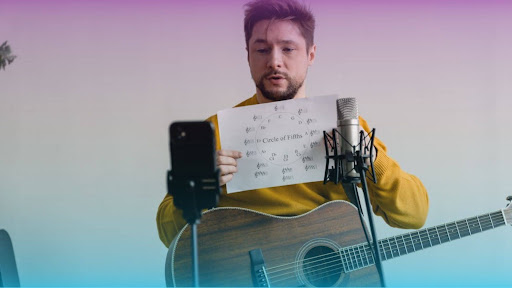
If you want the best way to record music on phone, focus on placement. Where you put your phone matters a lot. Many beginners place their phone too close to the music instrument, which makes the sound harsh or distorted.
Try this simple setup:
- Place your phone 3–6 feet away from you.
- Point the camera at you and your instrument.
- Keep the microphone facing the sound source, but not too close.
- Use natural light or face a window.
- Keep the room quiet.
If your audio still peaks, increase the distance between the microphone and the speaker. Sometimes, distance fixes audio issues better than any app.
You can use built-in camera apps, audio recording apps, or free music apps with better sound control. Keep it simple at first.
How to Set Up a Clear Video Recording
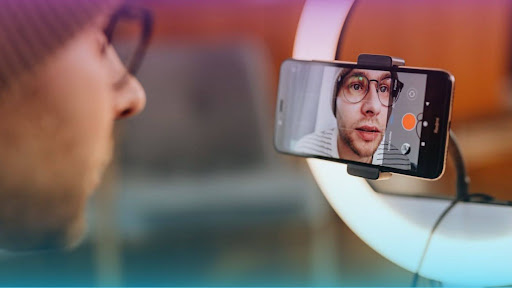
A good video recording helps you see your technique and movement better. Here is how to set up a clean shot:
- Make sure your whole body or hands are visible.
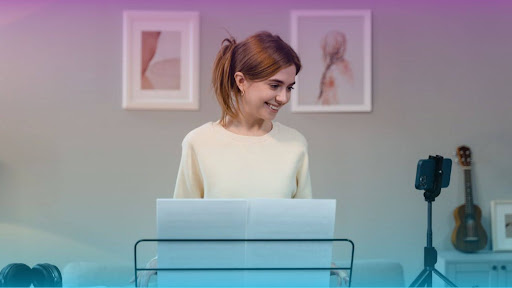
- If you play piano, show both hands and your posture.
- If you play guitar or violin, include your arms and fingers.
- If you sing, show your face, shoulders, chest, and upper body.
- Remove clutter behind you.
A clean background makes it easier to see your movements without distraction.
If you like, mark a spot where your phone should go each time. This gives you consistent angles for progress tracking.
How to Record Yourself Practicing Music: Step-by-Step
Many students ask about how to record yourself practicing music in a simple way. Here is a step-by-step guide:
1. Warm Up Before Recording
Do a short warm-up to help you play naturally.
2. Choose a Small Goal
Use deliberate practice. Choose one clear goal, like:
- Clean chord changes
- A smooth scale
- Better breath marks
- One verse of a song
- A short passage from a piece
3. Press Record and Focus on Playing
Do not stare at your phone. Stay relaxed.
4. Play Slowly First
Slow practice helps you control tone and find mistakes.
5. Do Only 1–2 Takes
You want honest feedback, not a perfect take.
6. Review Your Playback
Watch your hands, posture, tone, and timing. Notice technique errors and mark one improvement for next time.
7. Write It in Your Practice Journal
A practice journal helps you remember what to fix next time. It also helps you track your good days and hard days. This small-step method supports steady, deliberate practice that leads to real improvement.
What to Listen For in Playback
Playback is where real learning happens. When listening to your recording, check for:
Tone
Is the sound clear or shaky?
Timing
Use metronome apps to compare your playing to a steady beat.
Consistency
Do you repeat mistakes?
Posture and Upper Body Alignment
Are your shoulders tense? Are your wrists aligned?
Breathing
Check your breath marks if you sing or play a wind instrument.
Transitions
Are your shifts or chord changes smooth?
Each thing you notice becomes a new teachable moment for better playing.
How to Track Your Progress Visually
Tracking your progress makes practice more rewarding. Here are simple methods:
Create Organized Folders
Store your audio recording clips and videos by date.
Record the Same Exercise Weekly
Pick a scale, rhythm, or song and record it every week. You will see clear improvement.
Use Your Practice Journal
Write short notes after each session:
- "Better timing today.”
- "Still rushing the chorus.”
- "Breathing improved.”
Keep Short Clips
Short clips are easier to compare and review.
Final Thoughts on Recording Your Practice Sessions
Learning how to record your practice sessions is one of the smartest ways to improve your music skills. Your phone is enough to help you hear your tone, study your technique, and track your growth. With simple steps, you can find the best way to record music on phone and make each session more meaningful.
When you learn how to record yourself practicing music, you give yourself a powerful feedback tool that helps you grow with confidence. Every recording becomes a teachable moment and a step toward steady improvement.